01 · Home
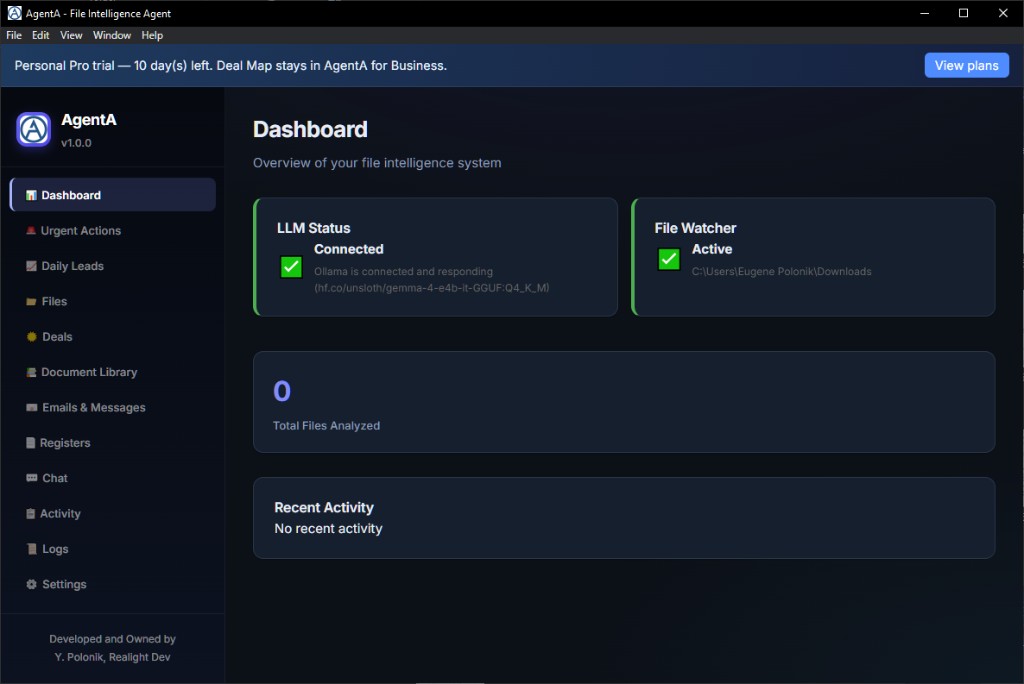
Dashboard
- See if your AI employee is ready
- Spot what needs attention and jump into work
Runs on your Windows PC. Organizes your files, sorts your email, pulls out your tasks — and answers your questions from your own documents or the live web. No cloud AI bills. Your files stay private.
Key benefits
Freelancers, consultants, and small businesses lose hours every week to lost invoices, buried contracts, messy folders, and overflowing email — then pay again for cloud AI that sends private work off their machine.
AgentA is the AI employee that stays on your Windows PC: it solves that daily grind, keeps your files private, and runs local AI on your computer instead of always hitting giant cloud data centers — so routine work uses less shared energy and puts a lighter load on the environment. (Why local AI access matters)
Today’s local language models have reached a practical new level: with Google’s Gemma 4 family, high-quality answers for everyday office work are achievable on ordinary mass-market laptops — not only on specialist AI workstations. AgentA is built around that shift: private AI that fits the hardware people already own.
AgentA is not built to fire or replace people. It is built to make everyday work easier — take over the routine, and give people back free time for real work and real life.
The product is shaped by 20+ years of professional experience in business execution — not by a “try everything” automation mindset. AgentA is a pure desktop, point-and-click app: set it up once, then simply use it. No coding skills, no PowerShell, and no terminal work are required. Meaningful actions stay under your approval, inside clear guardrails — so there are no unintended deletions or other unpleasant surprises. You stay in control; the agent assists.
Never lose an invoice again.
Find any contract in seconds — even if you forgot its name.
Your emails sorted before your morning coffee.
Private AI that never uploads your confidential documents.
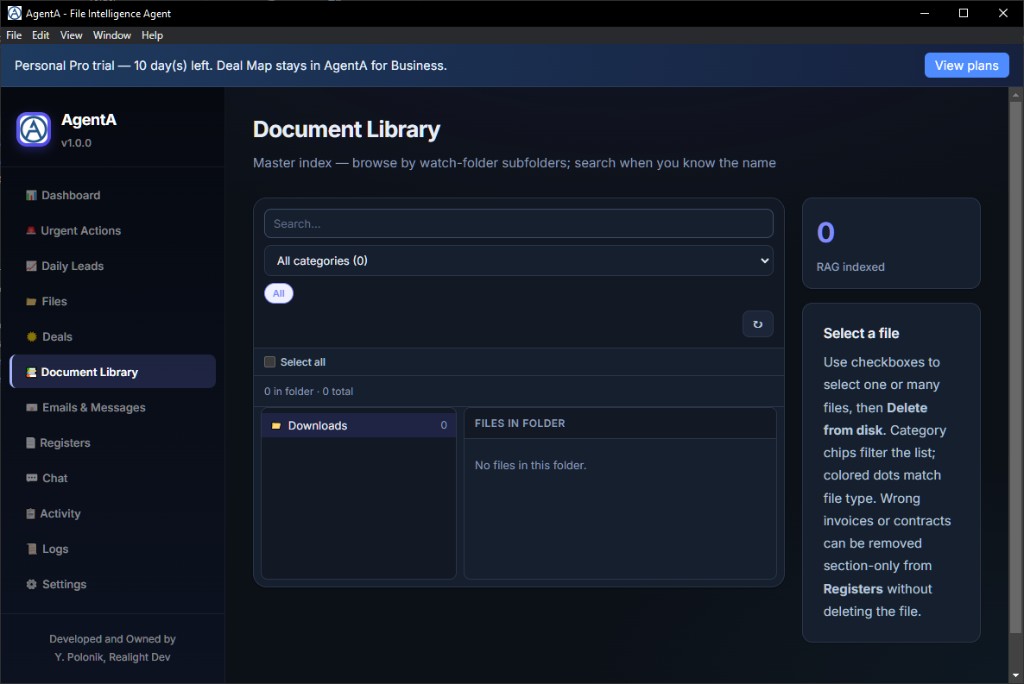
Turn thousands of scattered files into an organized knowledge library.
Ask your computer a question — answers from your files or the live web.
Stop searching folders. Start finding answers instantly.
Transform long reports and PDFs into clear summaries in seconds.
Capture every important task from email, Telegram, and voice — before it is forgotten.
Enjoy AI power without monthly API bills or losing control of your data.
Use AI on your PC instead of always calling cloud data centers — lighter energy use, gentler on the planet.
Not made to replace people — made to ease their day and free time from routine tasks.
Why people hire this AI employee
Runs on your PC today — Windows 10 & 11. Ordinary laptops welcome (DDR4 minimum; DDR5 or newer recommended). A macOS build with LM Studio and MLX is coming soon.
Modern local LLMs — led by Google’s Gemma 4 family — bring strong, usable results to everyday hardware, so AgentA can deliver serious help without a dedicated GPU farm.
Less searching, less re-reading, fewer forgotten follow-ups — more billable time.
One local workspace instead of juggling single-purpose tools and messy folders.
No per-token cloud fees. Optional Personal Pro monthly or lifetime via Microsoft Store.
Answers from your own files first — plus optional live web search when you need public, up-to-date info.
Local AI on your machine means less routine traffic to power-hungry cloud data centers — better for energy use and the planet.
Not a tool to push people out. A helper that clears routine work so you get easier days and more free time.
A pure desktop app — pick folders, scan, chat. No coding, no PowerShell, no terminal. Tune once, then just use it.
Actions that matter need your approval. Rename and move stay off until you turn them on. Built on solid guardrails — no silent file surprises.
Designed from 20+ years of real business-execution practice — calm, practical, and safe for everyday professionals.
Agent apps can feel risky. AgentA is intentionally different: a familiar Windows desktop experience, clear permissions, and human approval for critical steps. Configure once, work with confidence — without scripts, without surprise deletions, and without giving up control of your files.
The idea
Your AI employee sits between your everyday files and a clear result — indexing, understanding, and acting on your machine.
Folders, PDFs, photos, mail, Telegram — already on your machine.
AgentA scans, understands, indexes, and chats — locally on Windows.
Answers, tasks, registers, summaries — ready to use.
Inside the app
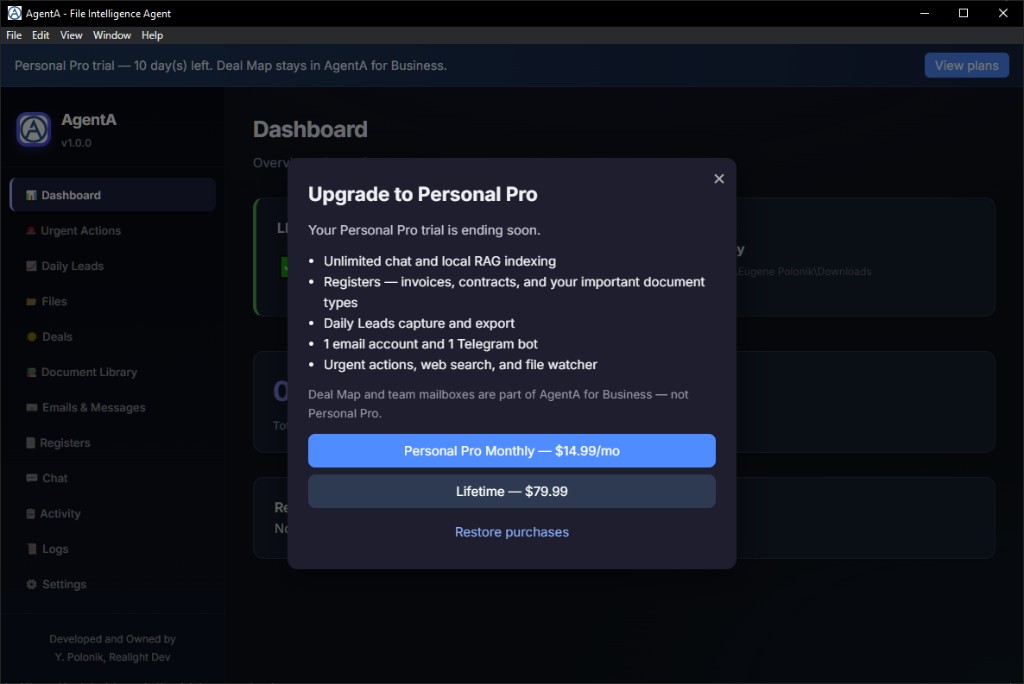
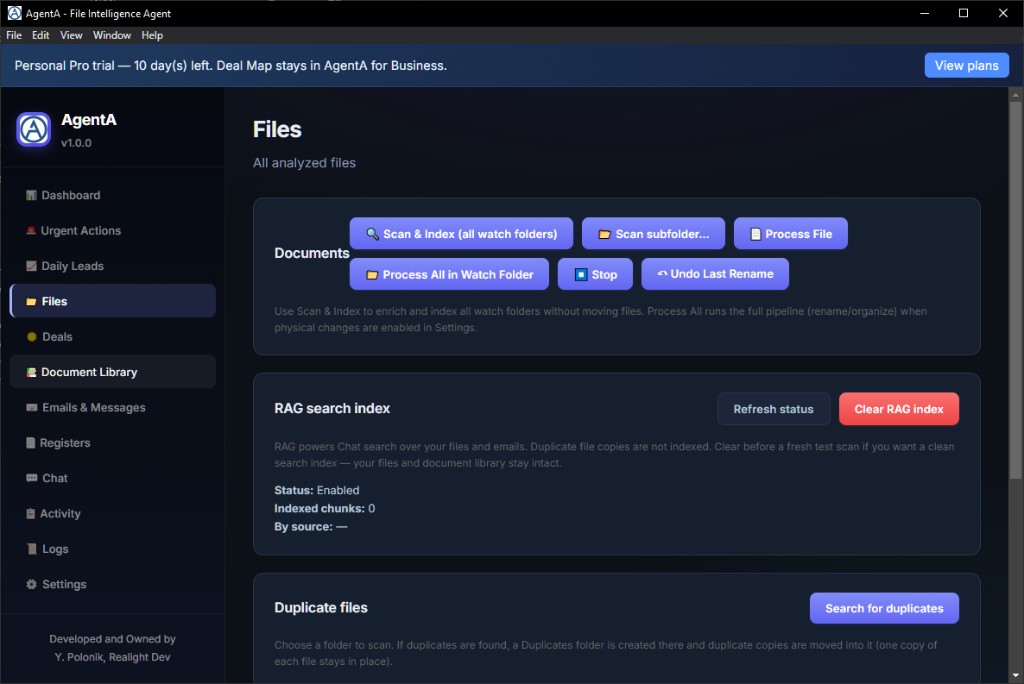
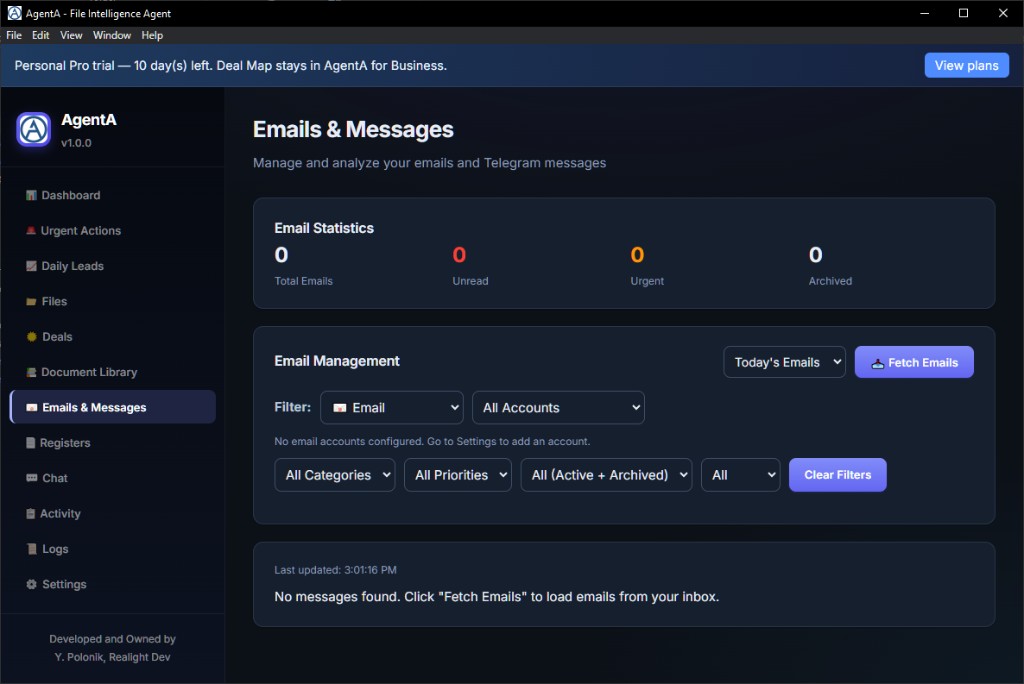
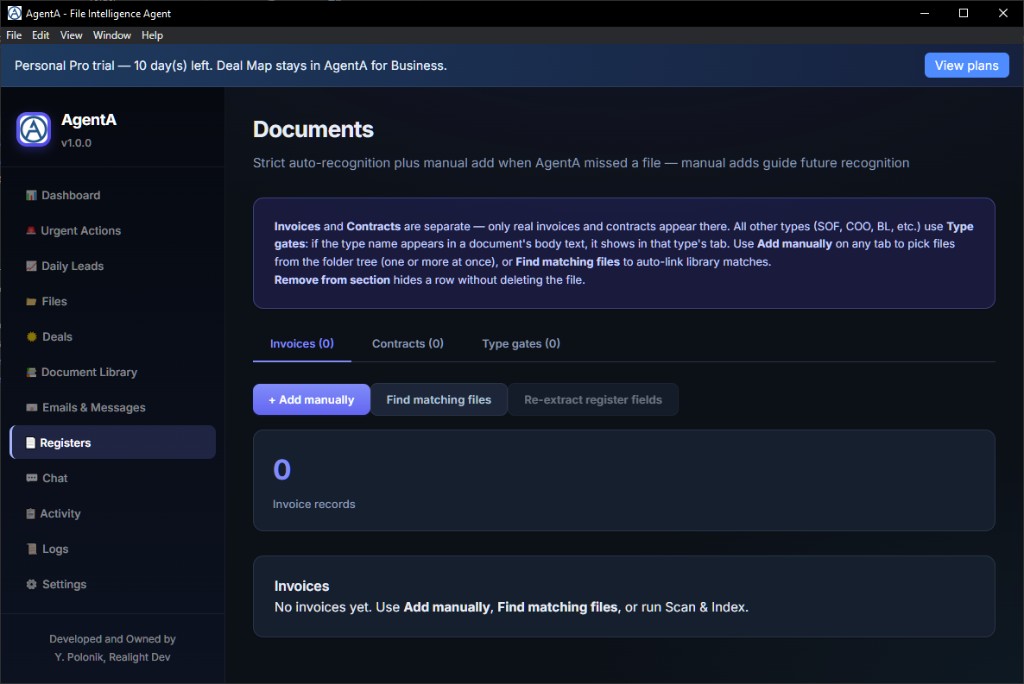
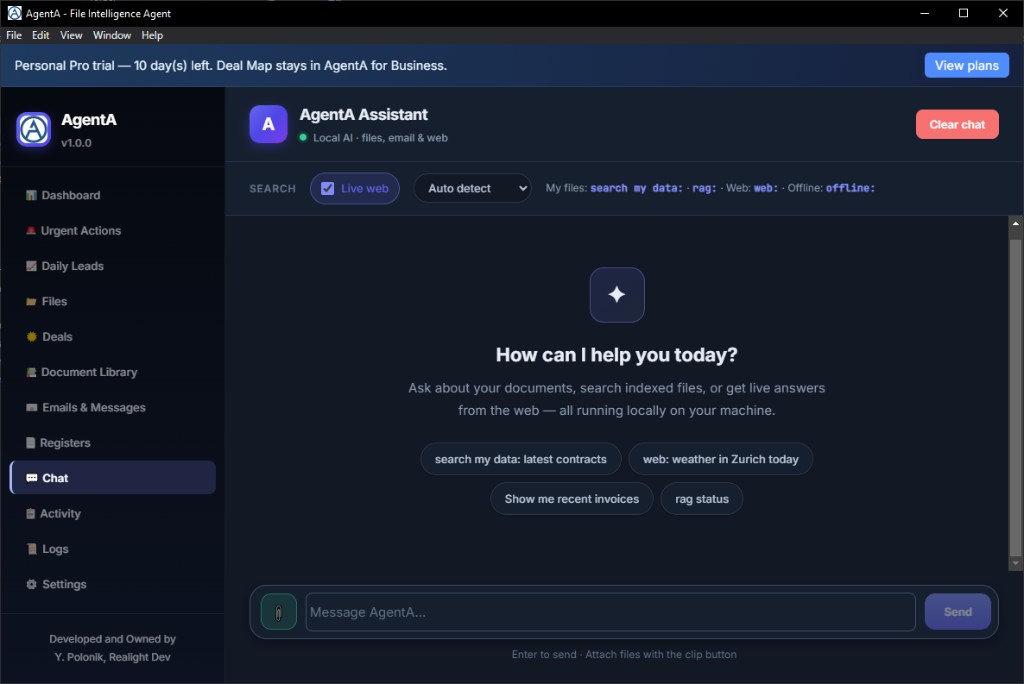
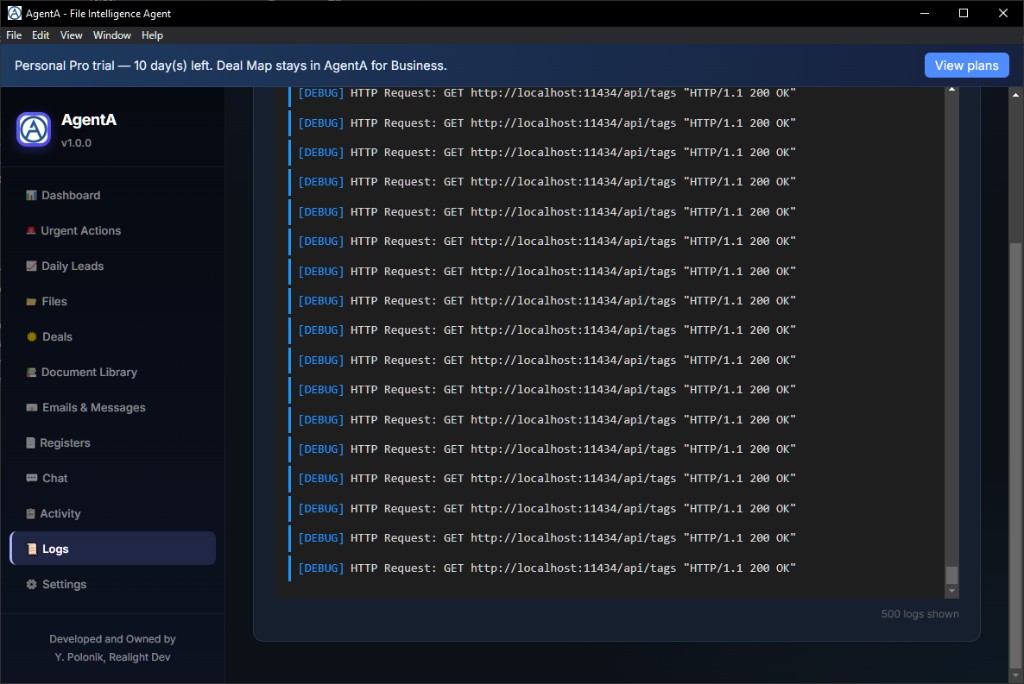
Swipe or use the arrows — real windows from Dashboard through Chat, Registers, and Settings.
Tip: on phone, swipe left or right across the screenshot.
Audience
A native macOS edition is in preparation, with local AI via LM Studio and Apple MLX for efficient on-device inference. Windows remains available today on the Microsoft Store.
For organizations
Beyond Personal on the Microsoft Store — a private AI workspace for small teams, freelancers with client archives, and companies that need their own data, Deal Map, and server-side workflows under their control.
We can personalize AgentA by fine-tuning models on your organization’s materials — so answers, classifications, and routines reflect your language, documents, and operating practice, not a generic public model alone.
AgentA can be installed in your environment to process company email and file flows under your policies — keeping sensitive work inside your perimeter while people still get a clear, point-and-click experience.
See each deal as a living map: project folder at the center, contract anchored, linked documents around it — so teams stop hunting files and start seeing the deal structure at a glance.
Index your server-side files and mail into a private knowledge base. Ask in plain English and get grounded answers with sources from your real documents — not the public web by default.
Authorized users can reach AgentA on the company server through remote tools and ask questions about shared files from where they work — same private knowledge, without copying archives onto every laptop.
Sized for lean operations: freelancers with confidential client folders, consultants, and small teams that need shared clarity — without enterprise complexity or cloud AI fees for everyday inference.
For scoping, deployment options, and a confidential discussion of your use case, contact us directly.
contact@realight.devGet going
Follow this guide exactly. Button and menu names match what you see in AgentA. Prepare Ollama and models first, then install AgentA. Do the Day-one path for files + Chat, then open each step’s Show setup details for email or Telegram.
rag status → then ask about one of your files.Continuous watching (laptops): If you want AgentA to keep watching files, email, or Telegram for long periods, prevent Windows sleep with Microsoft PowerToys → Awake (details in the step below). Sleep or aggressive power saving can pause background work.
Goal: Ollama is installed, running in the system tray, and the recommended models are fully downloaded.
1. Install Ollama and start it
2. Pull / install the language models — open PowerShell or Command Prompt and run these commands one by one:
Main model (recommended — chat, vision, Telegram audio; faster):
ollama pull hf.co/unsloth/gemma-4-e4b-it-GGUF:Q4_K_M
Optional larger model (same jobs, slower):
ollama pull hf.co/unsloth/gemma-4-12b-it-GGUF:Q4_K_M
Embeddings model (needed for smooth private document search / RAG):
ollama pull nomic-embed-text
Wait until each command finishes (downloads can take several minutes). Only then continue to install AgentA.
Goal: AgentA is open, backend is running, trial welcome is dismissed.
What you need
High-end hardware (optional): A dedicated GPU is not required, but when available it can accelerate local inference dramatically. As an example of top-tier equipment — not a baseline requirement — a GPU with about 24 GB of VRAM can run Google Gemma 4 12B at Q8 (8-bit quantization), typically occupying roughly 12 GB of VRAM, with a smooth context window of 32k tokens or more and generation speeds on the order of 50+ tokens per second. That illustrates how responsive AgentA can feel on high-end hardware while remaining fully local.
Do this
Where things are in the left menu
You start a 14-day Personal Pro trial. Check or upgrade later in Settings → Plan & billing.
Goal: Windows does not put the PC to sleep while you want AgentA to keep watching and operating.
Why this matters
AgentA runs on your PC as a desktop app with local watchers (folders, optional email, optional Telegram). On many laptops, Windows power saving can put the machine to sleep or throttle background activity after idle time. When that happens, AgentA can stop reacting to new files or messages until you wake the PC again. This is normal OS battery behavior — not an AgentA crash.
If you need AgentA available for long stretches (including overnight “always on” monitoring), keep the PC awake while AgentA is in use.
Recommended: Microsoft PowerToys → Awake
PowerToys Awake keeps the computer from sleeping without permanently changing your Windows power plan. Official overview: PowerToys Awake (Microsoft Learn).
Practical tips
Goal: Settings shows your Ollama URL and an installed chat model, and you clicked Save Settings.
Ollama should already be running with models installed (step 1).
http://127.0.0.1:11434 (this is the default).PDF text uses built-in Tesseract OCR (EN, DE, RO, UK). Photos and screenshots use Vision LLM.
Goal: at least one watch folder is listed, rename/move stays off, Save Settings succeeds.
Settings → File Watching
Settings → Automation (important for safety)
AgentA will index and answer questions in place. Turn rename/move on later only if you want physical reorganization.
Goal: Scan & Index finishes, then Chat answers a question about your files.
A. Files page — index safely
Optional: 📂 Scan subfolder… indexes one tree only. Under RAG search index, use Refresh status to confirm chunks exist; avoid Clear RAG index unless you mean to rebuild.
B. Chat page — verify it works
rag status → press Enter or Send.rag: what documents do I have? or search my data: invoice.Useful prefixes (also listed under Chat & Telegram commands)
search my data: / rag: — your private filesweb: — live internet (DuckDuckGo-based by default)offline: — force local-only for that messageAlso explore after Chat works
rag status again. Check Logs if errors persist.
Goal: you know whether live web is Automatic, Manual, or Off — and how to force a search.
Settings → Live web search
web:web: to forceYou can also change Live web from the Chat toolbar without opening Settings. Check status anytime with web status.
Try: web: weather in Zurich today · or offline: summarize this from my files only
Goal: one email account is created, Test succeeds, watcher is on if you want auto-checks.
Email is optional. Core Files + Chat work without it. Personal Pro / trial allows 1 email account.
Prepare an app password first
Settings → Connected Accounts
Then open left menu Emails & Messages for priority mail. Urgent items also appear under Urgent Actions.
Goal: Telegram bot account is connected, Test works, and only your user ID can run commands.
Telegram is optional. Personal Pro / trial allows 1 Telegram bot.
1. Create the bot in Telegram
/newbot and follow the prompts (name + username ending in bot).2. Add the bot in AgentA
3. Authorize yourself (required for a private bot)
/start to see your numeric User ID.If the authorized list is empty, AgentA shows that everyone can use bot commands — add your ID to lock it down.
Optional: in Automation, leave Enable daily leads capture from Telegram screenshots ON if you want leads from images.
Same chat commands work in Telegram — see Chat & Telegram commands. Send one message at a time and wait for the reply.
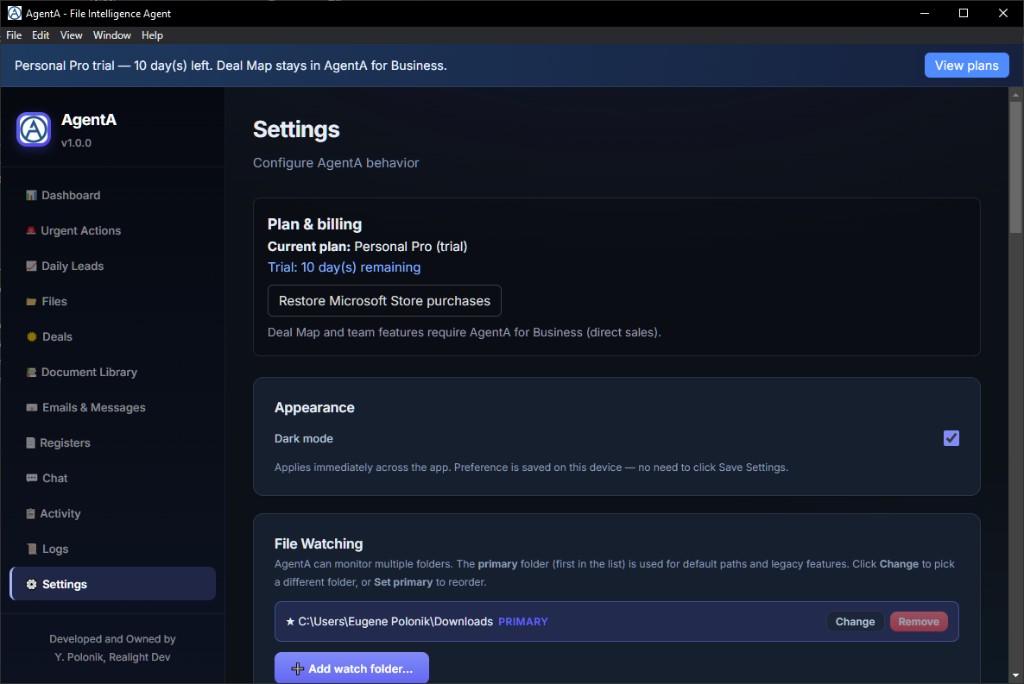
Goal: you know your current plan and how to upgrade or restore.
Settings → Plan & billing
Deal Map / team features are AgentA for Business — not Personal Store add-ons.
Support: contact@realight.dev · Privacy: privacy policy
Day-one safety rule: keep Allow AgentA to rename and move files on disk (auto-organize) unchecked, and use 🔍 Scan & Index (all watch folders) — not Process All — until you deliberately want to rename files or reorganize storage of your files.
Vocabulary
Type these in Chat or send them to your AgentA Telegram bot (authorized users only). Same language in both places.
Your files (local RAG)
search my data: invoice Acme 2024
Fast search in your indexed files, emails, and tasks — ranked chunks, no long AI essay.
rag: what contracts mention delivery dates?
Ask a question over your private knowledge base. Answers cite your real file paths.
rag status
Show how much is indexed (files, emails, tasks) and whether search is ready.
index my emails and files
Build or refresh the private index so Chat can find your content.
rebuild rag index
Rebuild the private index from scratch when results look stale.
scan and index
Scan your watch folder and index documents in place (non-destructive).
Live web (DuckDuckGo)
web: weather in Zurich today
Web RAG: searches the live internet with DuckDuckGo, reads useful pages, then your local LLM answers with source links — alongside (not instead of) local file RAG.
search the web: …
Same as web: — alternative wording.
offline: summarize this from my files only
Keep the answer on local RAG only — skip automatic web search for this message.
web status
Check web-search settings (also useful from Telegram).
Telegram extras
rag what invoices are overdue?
On Telegram you can omit the colon — rag … is treated like rag:.
Send a PDF / photo / link
AgentA returns a structured summary (TLDR, key points, details, caveats).
Voice note
Local speech-to-text → actionable urgent tasks (with a vision/audio-capable model).
extract text
As a caption on a file: dump OCR/raw text only (no field extraction).
One message at a time
Wait for the reply before sending the next request — local AI works best that way.
Two modes, one Chat: search my data: / rag: = private local RAG over your files.
web: = live web RAG via DuckDuckGo + your local LLM (ephemeral internet context, with source URLs).
Use local for confidential work; use web when you need fresh public information. Plain English also works — prefixes make the intent unmistakable.
FAQ
Quick answers about AgentA Personal, privacy, pricing, and setup.
AgentA is a private AI employee for Windows. It organizes files, prioritizes email, extracts tasks, and answers questions from your own documents using local RAG — with optional live web search. Your data stays on your PC.
AgentA is local-first. Documents, chat history, and indexes are stored on your Windows PC. Inference runs through Ollama on your machine unless you configure a remote endpoint yourself.
Windows 10 or 11 (64-bit), AgentA from the Microsoft Store, and Ollama with a local model such as Google Gemma 4. Memory guidance: 8 GB RAM minimum, 16 GB recommended, 32 GB best; DDR4 minimum, DDR5 or newer recommended. A dedicated GPU is optional — high-end hardware (for example about 24 GB VRAM) can substantially accelerate local inference. See the Setup tutorial for the full checklist and a top-tier performance example.
AgentA Personal is free to install with a 14-day Personal Pro trial. Optional Microsoft Store add-ons include Personal Pro monthly and lifetime plans.
RAG (retrieval-augmented generation) lets AgentA search your indexed documents by meaning, not only by filename, and answer with sources from your own files.
AgentA for Windows is available on the Microsoft Store today. A macOS edition with LM Studio and MLX is in preparation.
Get AgentA from the Microsoft Store for Windows 10 and 11.
Install from the Microsoft Store. Keep your files on your PC. Clear the routine — get your time back.